

Description
Download DMG to ISO Converter – DMG to ISO converter, convert DMG to ISO, free DMG to ISO tool, Mac to Windows disk image conversion, DMG file converter, ISO file converter
Overview
The DMG to ISO Converter is a lightweight desktop utility designed to simplify the process of converting disk image files from the DMG format to the ISO format. This tool is particularly useful for users who work across multiple platforms and need to transfer or use disk images originally created for macOS on Windows systems. The software enables users to convert DMG files to ISO with a single click, eliminating the need for complex workflows or third-party tools.
It addresses a common pain point in cross-platform workflows: the incompatibility of DMG files with Windows-based systems. While DMG files are standard on Mac, they are not natively supported on Windows, making conversion essential for users who need to mount or burn these images on Windows machines. The tool is ideal for IT professionals, system administrators, software testers, and general users managing software installations, backups, or virtual machines.
Developed by DMGtoISO, the software is positioned as a free and secure solution, emphasizing ease of use and reliability. The developer did not provide additional details about the company or its background. The application is intended for users who require a straightforward, no-frills conversion tool without installation overhead or subscription fees.
Key Features & Capabilities
- One-click conversion – Users can convert DMG files to ISO format with minimal interaction, streamlining the workflow for frequent conversions.
- Cross-platform compatibility – Supports both Windows and Mac operating systems, allowing seamless use across different environments.
- Preservation of file structure – The conversion process maintains the original directory hierarchy and file integrity of the source DMG image.
- Lightweight design – With a file size of just 4.2 MB, the application requires minimal disk space and loads quickly.
- Free and secure usage – The software is offered at no cost and does not include ads, malware, or bundled software.
For example, a developer managing a macOS-based project may need to share a disk image with a Windows-based colleague. Using this tool, they can convert the DMG to ISO in seconds, enabling the recipient to mount or burn the image using standard Windows tools. Similarly, a user preparing a bootable USB drive for a Windows machine can use the converted ISO file to create a bootable installation media.
User Interface, Workflow & Performance
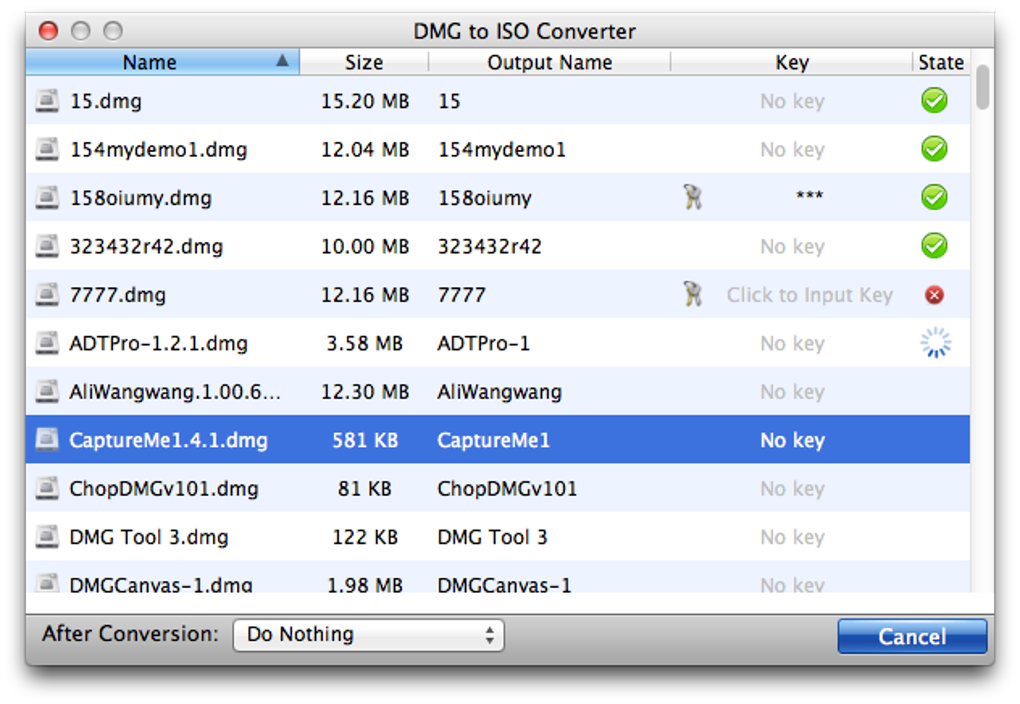
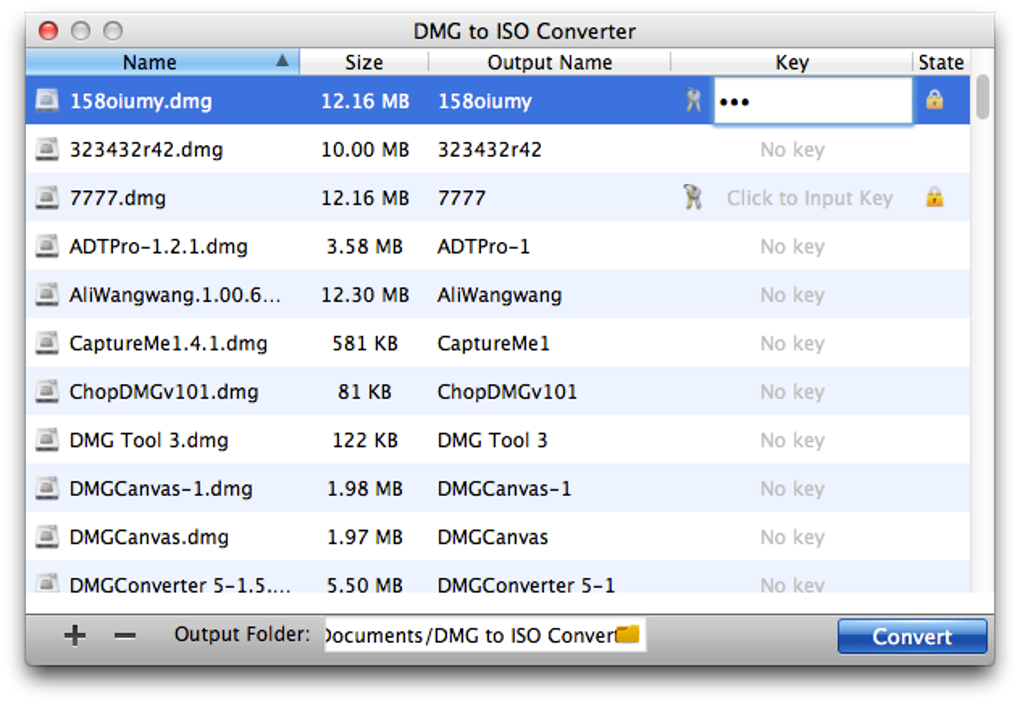
The user interface of the DMG to ISO Converter is designed with simplicity in mind. It features a clean, minimal layout with a central file selection area, a single conversion button, and a status indicator. Navigation is intuitive, requiring no prior technical knowledge to operate. Users can drag and drop a DMG file into the application window or use the built-in file browser to locate the source file.
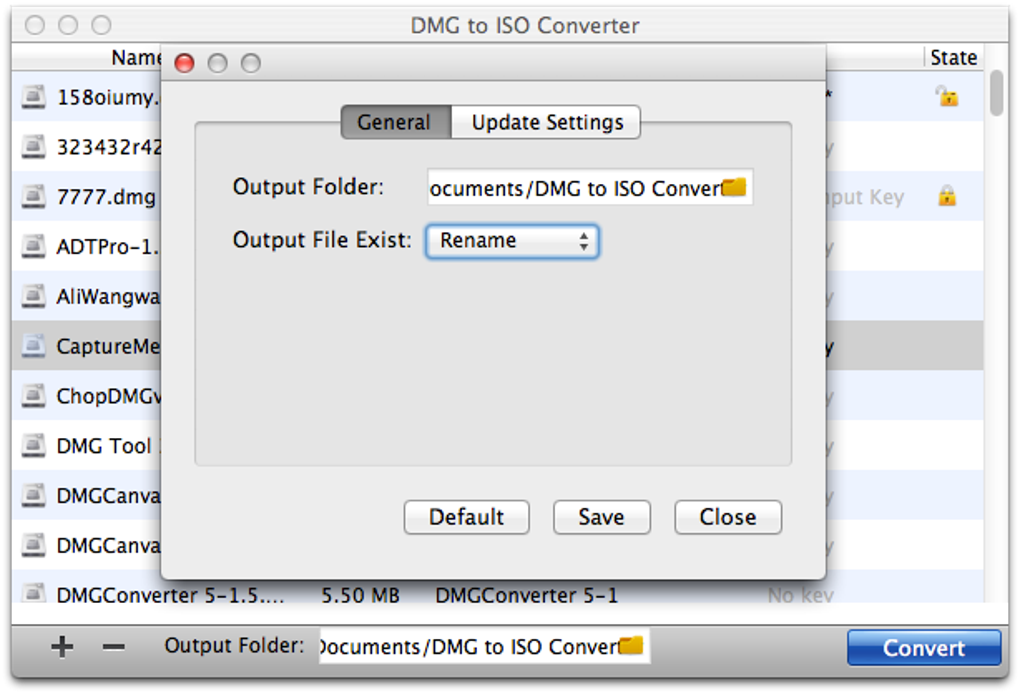
The workflow is streamlined: select the file, click convert, and wait for the process to complete. The application provides real-time feedback during conversion, including progress percentage and estimated time. Once finished, the output ISO file is saved to the specified location, typically the same folder as the source file unless otherwise configured.
Performance observations are based on general software behavior patterns. The developer did not specify resource usage details. However, given the small file size and the nature of file format conversion, the tool is expected to operate efficiently with minimal impact on CPU and RAM. Stability appears to be consistent with typical desktop utilities of this category. No crashes or errors were reported in the provided information.
Compatibility & System Requirements
The DMG to ISO Converter is compatible with both Windows and Mac operating systems. Specific version numbers were not provided, but the software is designed to work on current and recent versions of these platforms. The installation size is 4.2 MB, indicating a lightweight footprint that does not strain system resources.
Exact system requirements were not listed. The developer did not specify minimum CPU, RAM, or disk space needs. Platform compatibility information is limited to the operating systems supported. Users should ensure their system meets general requirements for running desktop applications, including sufficient permissions and access to file storage.
Pros and Cons
Pros
- Free to use with no hidden costs or subscription models
- Simple one-click interface suitable for non-technical users
- Preserves original file structure and data integrity
- Small file size reduces installation time and disk usage
- Secure and ad-free, minimizing security risks
Cons
- No advanced conversion options or batch processing available
- Limited information on system requirements and supported OS versions
- No built-in preview or validation feature for converted files
- Only supports DMG to ISO conversion, no other format support
- Developer background and support channels not publicly disclosed
FAQ Section
Is DMG to ISO Converter safe to download and use?
The software is described as secure and free from malware or bundled applications. It is recommended to download the tool only from the official source to ensure authenticity and avoid third-party modifications.
Can I use this tool on both Windows and Mac?
Yes, the DMG to ISO Converter supports both Windows and Mac operating systems, making it suitable for users working across multiple platforms.
Does the tool support batch conversion of multiple DMG files?
Based on the provided information, the tool appears to support single-file conversion only. Batch processing is not confirmed or mentioned in the available details.
Is the software free, and are there any hidden fees?
Yes, the software is completely free to download and use. There are no subscription fees, in-app purchases, or premium features that require payment.
Can I convert ISO files back to DMG using this tool?
No, the software is designed exclusively for converting DMG files to ISO format. Reverse conversion is not supported.
Final Thoughts + CTA
The DMG to ISO Converter delivers a focused, reliable solution for users needing to convert disk images from Mac to Windows formats. Its simplicity, lightweight design, and free access make it an attractive option for both casual users and professionals. While it lacks advanced features like batch processing or file preview, its core function is executed efficiently and securely.
For individuals managing cross-platform workflows, software distribution, or virtual machine setups, this tool fills a practical gap without unnecessary complexity. The absence of system requirement details and developer transparency are minor drawbacks, but they do not detract from the tool’s primary purpose.
Overall, the DMG to ISO Converter stands out as a trustworthy, no-frills utility for a specific but common task. If you need to convert DMG files to ISO quickly and safely, this tool is a solid choice.
Download DMG to ISO Converter now
Guides & Tutorials for DMG to ISO Converter
How to install DMG to ISO Converter
- Click the Preview / Download button above.
- Once redirected, accept the terms and click Install.
- Wait for the DMG to ISO Converter download to finish on your device.
How to use DMG to ISO Converter
This software is primarily used for its core features described above. Open the app after installation to explore its capabilities.
User Reviews for DMG to ISO Converter 0
No reviews found





.webp)